01
Sales & documents
From a sale to a receipt.
Prepare receipts, invoices and proforma invoices with your own business details.
Business management, by Ventura Visuals.
 Business management, by Ventura Visuals
Sales, stock, invoices and the people behind them. Bring the work together in a workspace that makes sense of your day.
Try the demo without an account · Fictional sample data
Take a closer lookYour business, in focusLive Preview ↗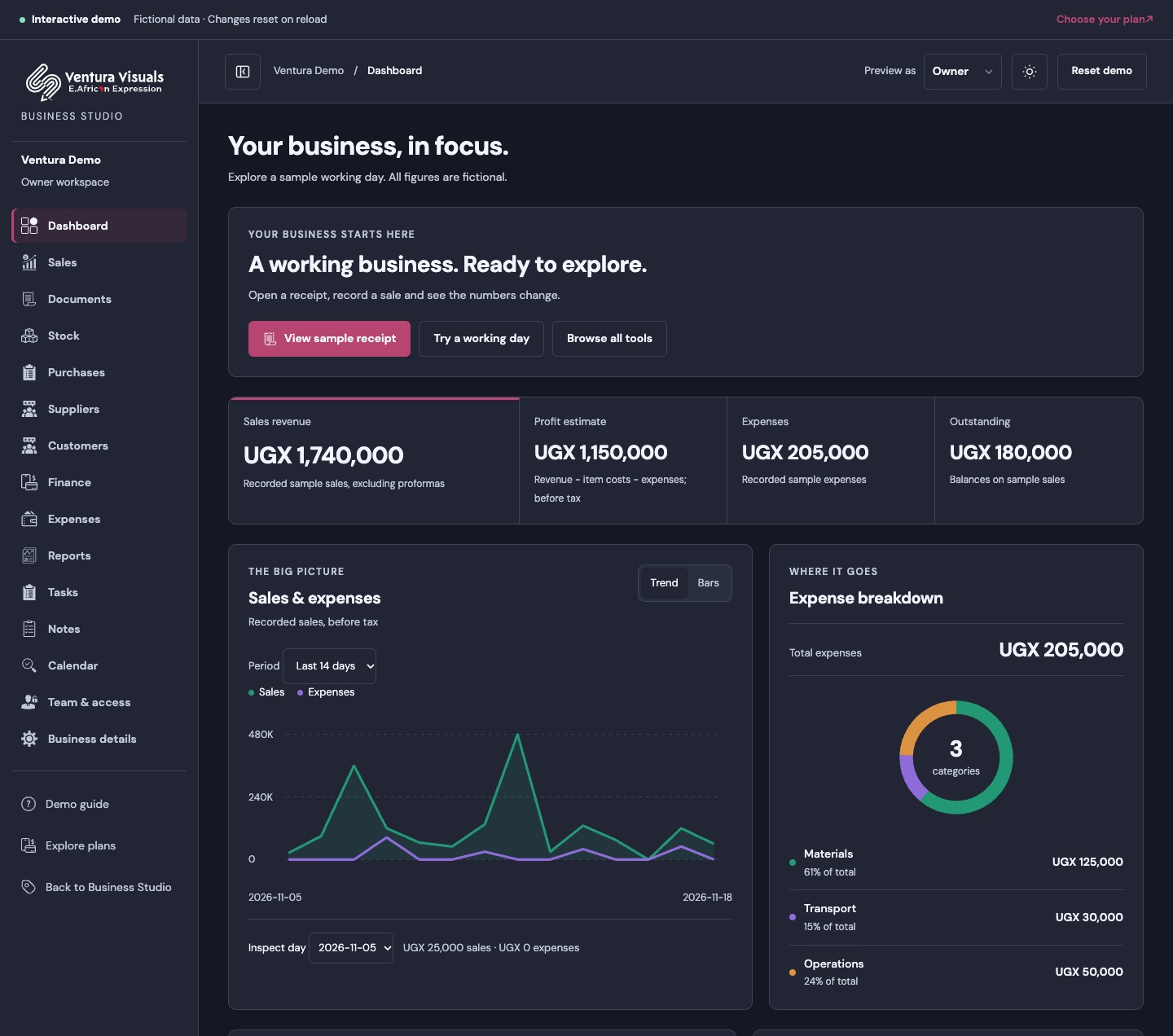
One connected view of the work. Clear spaces for your records, your customers and your next step.
Sales & documents
Prepare receipts, invoices and proforma invoices with your own business details.
Stock & customers
Keep your catalogue, stock levels and customer records together, ready for the next order.
People & permissions
Invite staff to their own workspace view. Keep private finances available to the owner.
Tasks & calendars
Bring appointments, tasks and notes into the same place as your everyday business work.
A busy day is easier to understand when sales, payments and expenses have their own place.
Money received minus expenses paid in this example. This is not a profit calculation or your account balance.
An unpaid sale is tracked separately. It is not included in money received above.
Keep the picture complete by recording payments and expenses as they happen.
Whether you run a shop, offer a service or work for yourself, give the next small step somewhere to live.
Illustrative daily checklist
Keep the next customer conversation on your task list.
Use your calendar for the date and notes for the details.
Write it down in Notes and return to it when you have time.
Tasks, notes and the calendar help you organise your own working day as well as shared business work. Keep customer details in their records and use your workspace’s access rules when sharing with staff.
A future space to set a target and record progress towards equipment, an emergency buffer or a personal goal.
Savings tracking and personal budgeting are not available yet. Studio does not hold or move your savings.
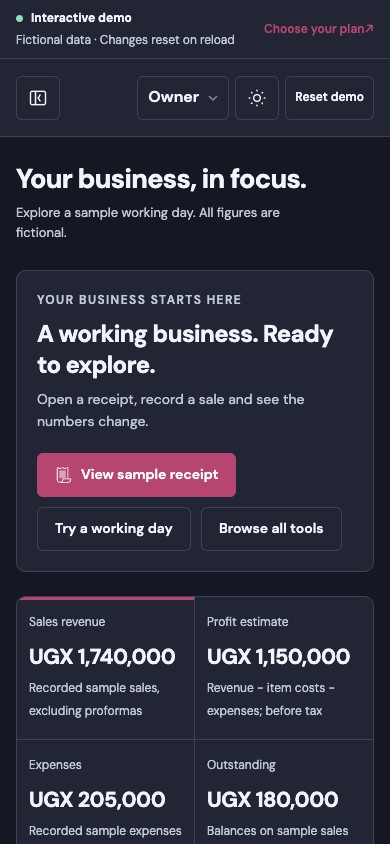
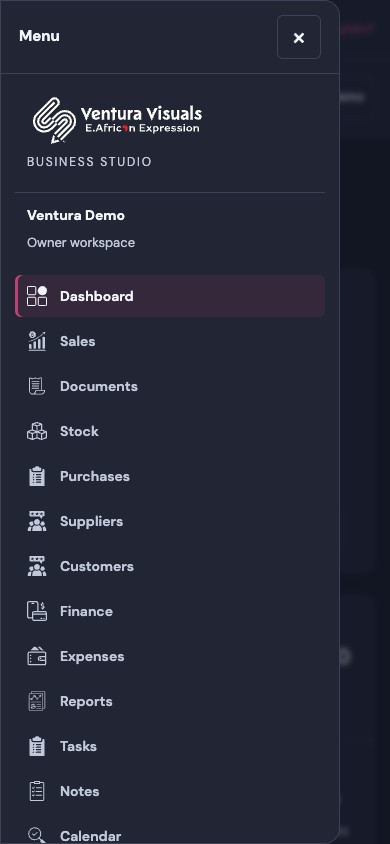
The same business, with room to work on a smaller screen. Check the dashboard, open the menu and move between the tools you need.
Key figures arranged for a phone.
A slide-out menu for your workspace.
Owners and staff see the tools their role allows.
Real interface previews · Sample owner workspace
Four plans, priced in Uganda shillings per business.
Create your private workspace with Google or email. Your trial lasts one calendar month from creation. After expiry, Studio tools lock; renewal, support and data export stay available. Your shopping account is unaffected. Paid plans are planned options; checkout is not open and selecting one does not start a subscription.
To find your feet
Freeone-month trial
Available now · One business
For your everyday business
UGX30,000/ month
Preview plan · Checkout not open
For a growing team
UGX75,000/ month
Preview plan · Checkout not open
For larger operations
UGX150,000/ month
Preview plan · Checkout not open
Mobile Money and card payments through Pesapal are planned. No payment is taken here.
Select Sign in to use Google or email through Clerk. Choose Live Preview to explore sample tools without an account. New here? Choose a plan on Get started, then create your account. After signing in, open your workspace and explicitly create Starter Free. Your existing workspace opens automatically. Paid subscriptions are not yet available; older private-preview businesses continue to use their original login.
Yes. Open Live Preview to try sample sales, documents, stock, expenses, tasks, notes and the calendar. No account is required. All records are fictional and changes reset when you reload. The demo does not activate a workspace or a paid plan.
Yes. Business owners can set their business details and document logo. Your documents use your business identity; the Business Studio platform keeps Ventura Visuals branding.
Staff access is restricted. Private costs, expenses, profit, account balances and financial reports stay with the owner. Staff can work with the records their role permits.
Your Google or email login through Clerk can be shared with your Ventura shopping account. Shop orders, staff permissions and Business Studio memberships remain separate. A shopping account does not grant access to another business’s records.
Yes — A one-month Starter Free trial is available now with one business, one owner, five active products/services and ten new sales or quotation documents each month. Sign in with Google or email, then create your workspace. Paid allowances and checkout are still being prepared. The live demo also shows features planned for paid plans.
Explore Business Studio with us, or return to the business you already manage.